
Homeward Tails Dev Journal Part 1: It Begins!
Showing the development of Homeward Tails.

Buckle up, this is going to be a long series! I have been posting updates about building Homeward Tails (formerly Tailored Pet Names) since December 2022, but I have just decided to store them all in one (long) informal blog series.
I’m hoping this will also inspire other devs to journal their progress with their projects. Feel free to post a link to your journals in the comments!
These updates will be split into many separate blog posts so I don’t accidentally fry your browser with that much content 😉
Note: If you notice some extra spaces in the code blocks, you’re not seeing things! Alas markdown applies some weird styling in code blocks that couldn’t be defeated by:
- escaping the characters (ex: \ . is not working inside markdown code blocks to escape the periods)
- using their html entity codes
so the humble space reigns supreme here to defeat the weird markdown styling
What is Homeward Tails?
Link: https://www.homewardtails.com
A Next.js website which allows users to either
-
find the purr-fect name for their pet or
-
help adoption counselors improve pet adoption rates with unique names and/or descriptions!
Users can easily search and filter through community submitted names and descriptions. After signing up, users can save favorites, follow other users, and submit new names and descriptions. In the future, I’m considering allowing users to choose a preferred theme, so they’re not stuck with purple forever.
Technology: Next.js, React, Next-Auth, JavaScript, TailwindCSS, MongoDB, Mongoose, Cloudinary, Node /Mailer, SendGrid, SWR, resend, react-mail, CSS, HTML5
Thread for my project progress!

Twitter Post Link: https://twitter.com/Janetthedev/status/1598391767682154497 11:01 AM · Dec 1, 2022
I started off with a bang 🤣 did ” npm run start” and was going what the hell why won’t it show my edits unless I reboot it.
I realized I needed to do npm run dev 🤦♀️

Twitter Post Link: https://twitter.com/Janetthedev/status/1598392395091316736 Dec 1, 2022 Dec 1, 2022
Words alone cannot express my love for this next.js tutorial! Its so easy to understand so far 😍 https://youtube.com/watch?v=MFuwkrseXVE&ab_channel=Academind
The projects coming along at a decent pace (for now)

Twitter Post Link: https://twitter.com/Janetthedev/status/1598420569607016448 12:55 PM Dec 1, 2022
I was getting a “Error: Element type is invalid: expected a string (for built-in components)” when importing a react component
I stared at my files for a second and realized I forgot to save the component’s changes 🤡.
That immediate fix was instant serotonin!

Twitter Post Link: https://twitter.com/Janetthedev/status/1598442248626401280 2:21 PM Dec 1, 2022
I figured out how to change the placeholder text color using tailwindcss https://geeksforgeeks.org/tailwind-css-placeholder-color/ the normal text color tailwindcss property wasn’t working
Twitter Post Link: https://twitter.com/Janetthedev/status/1598446531786735616 2:38 PM Dec 1, 2022
I was going to use this in the background, until I noticed one of them was “getting 💩 done ” 😂
Twitter Post Link: https://twitter.com/Janetthedev/status/1598463897299976192 3:47 PM · Dec 1, 2022
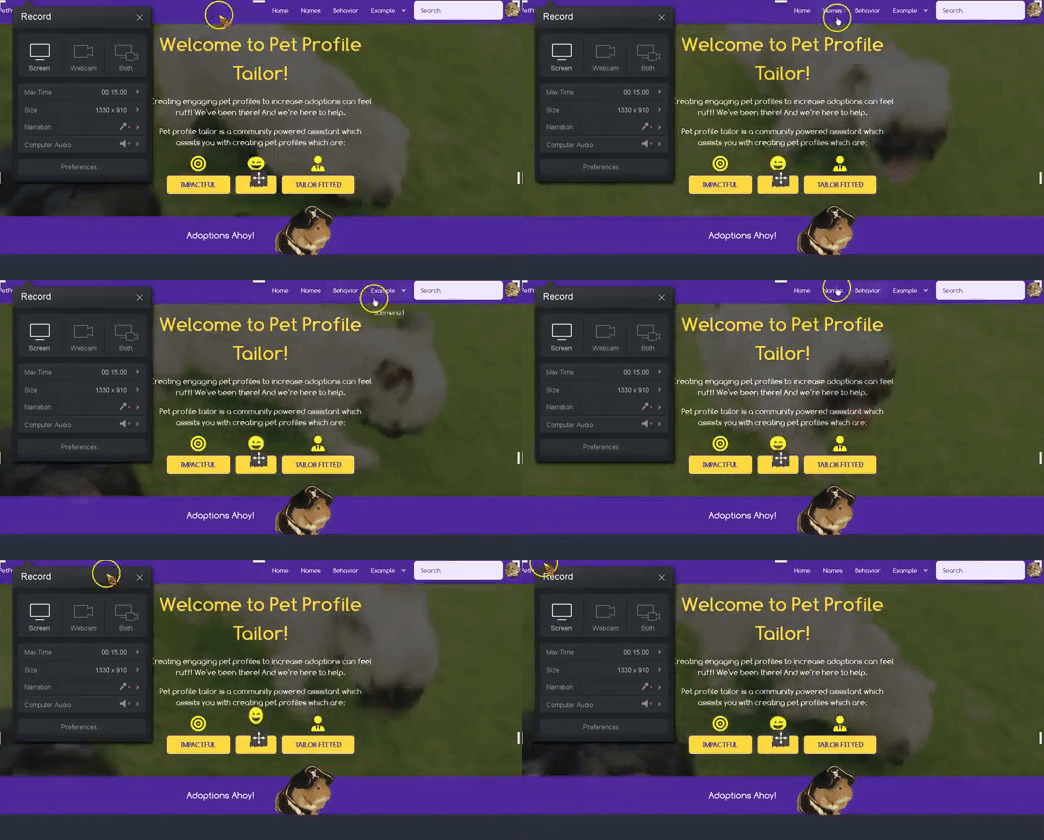
Decent starting progress! Still more content to add and some styling to clean up, but its getting there 🔥
Twitter Post Link: https://twitter.com/Janetthedev/status/1598503599058788352 6:25 PM · Dec 1, 2022
I did a little bit more work on the landing page! Very rough, rough draft done.
The UI adjustments/colors ect are for future me to figure out 😂
Twitter Post Link: https://twitter.com/Janetthedev/status/1599834982406840320 10:35 AM · Dec 5, 2022
I was struggling this morning to figure out why local images kept appearing broken??🥴
After watching this video I realized, I had forgotten for the public folder you don’t retype out the whole address! https://youtube.com/watch?v=taMJct5oeoI&ab_channel=EsterlingAccime It worked once I changed it to “profile.png” Huzzah
<img src='../public/profile.png'/><img src='/profile.png'/>Twitter Post Link: https://twitter.com/Janetthedev/status/1599835681102389248 Dec 5, 2022
Although part of me wants to (FINALLY) start with the back-end, I know I’m too tired to work on it right now 😢
Time to nap 😴

Twitter Post Link: https://twitter.com/Janetthedev/status/1599842624755863553 11:06 AM · Dec 5, 2022
I was trying to add links to the navbar in nextjs but I was getting this error:
Error: Multiple children were passed to <Link> with `href` of...I found this tip about removing any space between <Link> and <a> https://stackoverflow.com/questions/69667347/nextjs-multiple-children-were-passed-to-link-with-href-of-x-but-only-one/72754603
This fixed it! I would of NEVER of guessed 😂
Quotation from the stackOverflow Link:
“Are you sure that’s how its written in your source file? This error usually happens if you have a space in between
<Link>and the<a>tags”
Twitter Post Link: https://twitter.com/Janetthedev/status/1600171174670893064 8:51 AM · Dec 6, 2022
I used MongoDB playground to test if a basic read query to my database worked and it did! huzzah🎊
first backend step ✅
/ /  MongoDB Playground untitled-1

/ /  select the database to use.
use('main_site)

db.name_tags.findOne(
  {
     "_id":ObjectId("63423dafasf4324")
  }
)
Playground Result:
{
  "_id":{
    "$oid":"63423dafasf4324"
  },
  "tag_name":"male",
  "categories":[
    "638f31fasdflkjadsfs"
  ]
}
Twitter Post Link: https://twitter.com/Janetthedev/status/1600199940411572224 10:46 AM · Dec 6, 2022
https://www.appsloveworld.com/mongodb/100/160/express-returns-an-empty-req-body-to-a-postman-request
I was trying to figure out why the test post request seemed to work, except the collection was blank!
Turns out the body was showing as “text” instead of “json!” Once I switched it to “json” in postman it worked
Twitter Post Link: https://twitter.com/Janetthedev/status/1600554807059615745 10:16 AM · Dec 7, 2022
I’ve been trying to get chunks of the json data to show in a page but no luck so far🥴
I’m stopping for today before I go insane

Twitter Post Link: https://twitter.com/Janetthedev/status/1600585712826404864 12:19 PM · Dec 7, 2022
I couldn’t resist trying to debug an axios error I kept getting: ” OverwriteModelError: Cannot overwrite test5 model once compiled”
Adding some code to the left of my exports helped it stop yelling about using the model again “mongoose.models[‘test5’]” 🎊🎊
code snippet:
"module.exports = mongoose.models['test5']|| mongoose.model("test5",CategoryCollectionSchema)Twitter Post Link: https://twitter.com/Janetthedev/status/1600593040975929344 12:48 PM · Dec 7, 2022
now I don’t need to reboot my entire app every time I redo a freaking get request! huzzah 😂
the great evil axios error has been defeated!

Twitter Post Link: https://twitter.com/Janetthedev/status/1600593513640435712 12:50 PM · Dec 7, 2022
my brain was melting earlier clearly, that was a mongoose error not axios!
Twitter Post Link:https://twitter.com/Janetthedev/status/1600616329249054720 2:20 PM · Dec 7, 2022
SWEET PROGRESS! The toggable accordion panels and checkboxes were made by mapping through these objects from my server!
I’m so happy🥺
   _id: ObjectId('6666666666')
   name: "holiday"
   links: Array
      0: "Christmas"
      1: "Easter"
      2: "Halloween"
    _ _v:0

    _id: ObjectId('777777')
    name: "gender"
    links: Array
       0: "Male"
       1: "Female"
       2: "Unisex"
Twitter Post Link: https://twitter.com/Janetthedev/status/1600757675037294592 11:42 PM · Dec 7, 2022
next step i suppose will be to store whats been clicked in a react state? and then send that to the server as a second get request. Oh boy, thats gonna take a while.
(an example: store christmas + male in state, and only get back animal names with both those tags)
Twitter Post Link: https://twitter.com/Janetthedev/status/1600758283861897216 11:44 PM · Dec 7, 2022
I made some slow but definite progress!
I can generate a list from the server and also by clicking the checkbox i can store the selected results in an array in the state. And clicking even removes it from the array (after lots of struggle haha)!
Twitter Post Link: https://twitter.com/Janetthedev/status/1601132154527703040 12:30 AM · Dec 9, 2022
I’m still trying to figure out how to make it so it’ll let me narrow down/filter the search… I want to start with all the names, and then have it look through the array of name objects (nameList here) and give me ones that have the given tags.
But that’s for future me, Sleep time!
  let nameList= [
    {name:"santa", tags: ["Christmas","Male"]},
    {name:"beans", tags: ["food","Male"]}
  ]
<div> { nameList. map((name)=>(
/ / if the name does not have ALL those tags stored in the state, exclude it
/ / name: stanta, with tags christmas, male
tags in filter: christmas, female, so it'd be excluded
names.tags.every((element)=>
tagFilters.includes(element))&&
<div key={name.name}>{name.name} </div>>)
)}
</div>Twitter Post Link: https://twitter.com/Janetthedev/status/1601134316355846145 12:39 AM · Dec 9, 2022
Nothing like making a breakthrough while eating some chili! 🎊 It’s a bit embarrassing to admit it took me hours, since the logic ended up being pretty simple. 😅But eh, lots of learning done and success is success ~
{ nameList. map((name)=>(

  / /  we want ONe result for each name, so map through names
     / /  names ex: beans, santa
    / /   then we want to look through EVERY tag filter ONCE
         / /  ex: filters: Male and Christmas
             / /  does the name have all these tags?
                 / /  ex: beans has male, but not christmas, so it'd return false
                 / /  while santa would return true, so it's rendered

    tagsFilters.every((tag)=>
              name.tags.includes(tag)&&
              <div key={ name .name}>{name .name}</div>
                )
))}
Twitter Post Link: https://twitter.com/Janetthedev/status/1601346340629274626 2:41 PM · Dec 9, 2022
Though oddly it was chemistry of all things helped me! I had to think, what are the limiting factors and then write the code around the limiting factors
live pic of me fucking around and finding out with code before figuring things out. I’m a code arsonist today🔥🔥🔥

Twitter Post Link: https://twitter.com/Janetthedev/status/1601347067430854656 2:44 PM · Dec 9, 2022
I realized I didn’t show off the end result!
The names (bottom of the screen) render based on what tags are chosen
Twitter Post Link: https://twitter.com/Janetthedev/status/1601348110080307201 2:48 PM · Dec 9, 2022
Now to make it render prettily on the side!
Twitter Post Link: https://twitter.com/Janetthedev/status/1601348874173829120 2:51 PM · Dec 9, 2022
Progress! The filtered results show in a table on the right
Twitter Post Link: https://twitter.com/Janetthedev/status/1601434371084279808 8:31 PM · Dec 9, 2022
Next up I suppose will be to figure out how to add two requests to getStaticProps so I can grab the names from the server too
(right now I’m grabbing the names from a mock array in the document)
Twitter Post Link: https://twitter.com/Janetthedev/status/1601442682701635586 9:04 PM · Dec 9, 2022
I just screwed around and what do you know, it actually works!
So the name data is being sent from the server now into the page🎉🎉🍾
Export const getStaticProps = async () => {

let response= await fetch(‘http: / /localhost: 3000/api/name-categories’);
let nameResponse = await fetch (‘http: / /localhost: 3000/api/individualNames’)

let data = await response.json()
let nameData= await nameResponse.json()

/ /   console.log(data)
/ /  getServerSideProps allows us to fetch data from an api
/ /  runs only on server side, will never run client side
/ /   can run server-side code directly in getStaticProps

  return {
      props: {
         category: data,
         nameList: nameData,
            },
        }
}
Twitter Post Link: https://twitter.com/Janetthedev/status/1601460207556567045 10:14 PM · Dec 9, 2022
Up next will be either making profiles/adding passport ect
Or adding a form so users can submit new names
Twitter Post Link: https://twitter.com/Janetthedev/status/1601460430878445569 10:14 PM · Dec 9, 2022
Ended up deciding to add a form to add new names 😄
I’m proud of my progress especially after working!
Users can select multiple tags (provided by a list from my server) and they can input a name. Both are saved in the state
console.log Results:

name: l tags: Christmas, Male
name: le tags: Christmas, Male
name: leo tags: Christmas, Male
name: leon tags: Christmas, Male
import Select from 'react-select'
import React, {useState} from 'react';

export const getStaticProps = async () => {
  let tagList = await fetch('http: / /localhost:3000/api/individualTags');

  let tagData = await tagList.json()

  return {
    props:{
      tagList: tagData,
    }
  }
}
function AddNewNameWithTags({tagList}) {
const [newName,setNewName=useState("")]
const [tags,setTags]= useState([])
return (
<div style={{width:"700px"}} className="mx-auto mt-4">
{/*console.log(tagList[0].individualTag) */}
{console.log(`name: ${newName} tags ${tags}`)}
<form>
{/* needs label and value for Select to work*/}
<input type="text"
placeholder="enter a name to add"
onChange={(e)=> setNewName(e.target.value)}></input>
<Select
options={tagList. map((opt,index)=> ({label: opt. individualTag, value:opt. individualTag}))}
isMulti
isSearchable
placeholder="select tags..."
onChange={(opt)=>settings(opt. map(tag=>tag.label))}
/ / update STATE of section of object
/>
<button className="btn"> Add Name </button>
{/* submit state to server in correct format */}
{/* if name already exists, send an error message */}
</form>
</div>
);
}
export default AddNewNameWithTags;Twitter Post Link: https://twitter.com/Janetthedev/status/1601803814935220224 8:59 PM · Dec 10, 2022
Next step will be to have the button click = post request.
When setting up the post request I
- Need to give them an error message if an existing name is there
- have the objects from the state match the schema of the individualNames collection
Twitter Post Link: https://twitter.com/Janetthedev/status/1601804814643437568 9:03 PM · Dec 10, 2022
Still need to work on the actual next steps, but progress for now
Twitter Post Link: https://twitter.com/Janetthedev/status/1601841303675113477 11:28 PM · Dec 10, 2022
So on one hand: I’m now able to submit form data, which was stored in react state, to the server successfully 🎊HUZZAH
However! The filter system is now broken?? 🙃😂
Twitter Post Link: https://twitter.com/Janetthedev/status/1602233022513745920 1:24 AM · Dec 12, 2022
Figured it out! It was because some of the tags were uppercase.
Filter system is unbroken again

Twitter Post Link: https://twitter.com/Janetthedev/status/1602233486882275329 1:26 AM · Dec 12, 2022
next up is to make it so users can add new tags to the database.
But alas, I’ve got to work tomorrow so time to sleep!

Twitter Post Link: https://twitter.com/Janetthedev/status/1602234911640780800 1:32 AM · Dec 12, 2022
Felt like I was going in circles trying to figure out why my TagList prop was working right but categoryList was undefined?! 🥴
Turns out it was the semicolons on line 10 and 11!
export const getServerSideProps = async () => {

  let tagList = await fetch('http: / /localhost:3000/api/individualTags');
  let categoryList = await fetch('http: / /localhost:3000/api/name-categories');

        let tagData = await tagList.json()
        let categoryData = await categoryList.json()

  return {
    props: {
      tagList: tagData,
      categoryList: categoryData,
    }
  }
}
function AddNewNameWithTags({tagList,categoryLIst}){
return (
<div style={{width:"700px"}} className="mx-auto mt-4">
<NewNameWithTagsData tagList={tagList}/>
<AddNewTag categoryList={categoryList}/>
</div>
);
}
export default AddNewNameWithTags;Twitter Post Link: https://twitter.com/Janetthedev/status/1603582817392201729 6:48 PM · Dec 15, 2022
realized I should change my data around a bit and change something from a post request to a put request 🤔
lets see how this goes!
Twitter Post Link: https://twitter.com/Janetthedev/status/1603663890323148800 12:10 AM · Dec 16, 2022